It's been a while since I posted anything and Kari bribed me by allowing me to purchase the new Lion upgrade of Apple's operating system. I really like the updates to Mail and iCal.
Not so much with Reminders as I had much higher expectations, I'm still using Things and trying to get my task list to sync across 2 macs and my iPhone. Cultured Code, will you let me into your stinking beta for cloud sync?!?! No goodness yet, but I fall apart without my task list to keep me on track.
I have a new job now, one which I really enjoy. I'm back building large websites and am running a development team responsible for keeping Zumiez.com alive and kicking. The current site is not a representation of my work, but I've managed to change a lot of things on the back-end which have improved the performance and stability of the site. At the moment, we're actually adding 8 new servers to the farm until we make the switch to the Amazon AWS cloud in the October timeframe.
I also enjoy working with Linux and OSX. It had been a long time since I'd lived most of my day in a terminal window and Vim, but it feels like coming back home after spending 9 years at Microsoft. I recall back in 2001/2 feeling like I was on top of my game and I could be proud as I'd architected and lead the development of some of the largest web sites at that time.
But then I took a detour into the Marketing and Biz Dev world working with and mentoring mid-size to enterprise ISVs. Looking back, I loved the work, but I lost my technical chops in the process and becoming a manager of a biz dev or marketing team was not on my Christmas wish list.
I am much happier now. Going 9 months without a stable job was tough, but I landed exactly where I want to be and can excel. I see myself as more of a software development manager/director who still cherry picks projects to maintain my technical skillz. I'd put myself at sub-God or maybe newb Guru status, (who am I kidding I am just a re-treaded wannabe). I tried emacs and reverted back to Vim…. I just feel much more at home in Vim.
I have to admit I was going to go python, but setting up virtualenv vs rvm for ruby was a real pain. I did get code completion working for django in vim, but it is so easy in rails/ruby. I've reverted back to ruby/rails - I'm not quite ready to join the cool kids on that front.
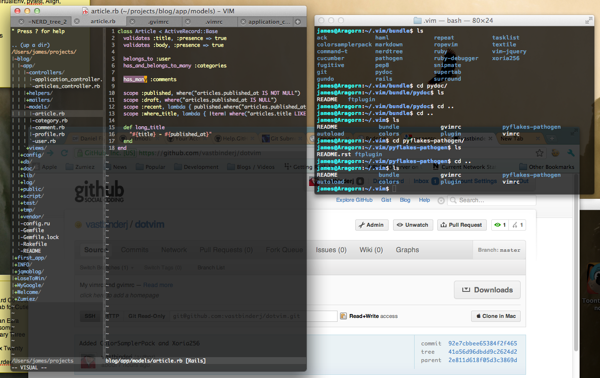
Just to be uber-geeky, I even threw up my .vim and .vimrc on github And here's a cool screen shot, which I grabbed with (CTRL-Shift-CMD-4) - (gotta love apple for this kind of stuf):
Alright, I think that is long enough to put most readers to sleep. Maybe it will even deter Kari from asking me to post for a while. Hmmmh, she could bribe me to post regularly if we bought a new camera with a nice zoom lense or two...
cheers,
James
